Internal use
Log forwarded email in HubSpot > Dynamics
Process
For every sales-related email received via info@alfen.com:
- Forward the email to: 25195078@forward.eu1.hubspot.com
- Submit the form on this page
In this order: First forward email, then submit form - Forwarding emails directly to sales colleagues is not necessary.
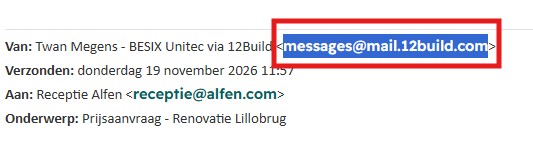
Please make sure that the email address entered in the form is also copied into the From field of the email, replacing the default sender address messages@mail.12build.com.
What happens after submission?
(For those interested in the background process)
- Submitting the form automatically creates a contact in HubSpot with the submitted information
- Forwarding the email ensures the email conversation is logged to that HubSpot contact
- HubSpot then creates a new lead in Dynamics
- The sales team will take over the lead and handle further follow-up